Tereza Králová3:42 PM
Consultation: notice on my lease
Email for teams that handle clients’ matters
MailGiraffe gathers every mailbox your team uses into one view, sorted by client and matter. You can finally see who’s on what, what’s due and what nobody has picked up. AI agents you set up yourself prepare the replies, and a person always sends them.
Free to start.

Giraffe fact: A giraffe’s neck has seven vertebrae, the same number as yours.
Nothing moves in your mailboxes. You just get to see all of them at once. Stretch up and look down.
Three inboxes, each its own little world.
13 messages in 3 mailboxes
Consultation: notice on my lease
Re: Lease agreement, comments
Re: Lease agreement, comments
Ref. 2026/041: summons to hearing
Ref. 2026/041: summons to hearing
2026/017: handover protocol
Complaint: facade defects
Enquiry: setting up a company
Delta acquisition: due diligence
Delta acquisition: due diligence
Inheritance: documents
Ref. 2026/063: complete the filing
Delta acquisition: draft SPA
Who’s answering Klára?
When’s that hearing?
Didn’t we reply to this?
Giraffe fact: Wild giraffes sleep two hours a day at most, in short naps.
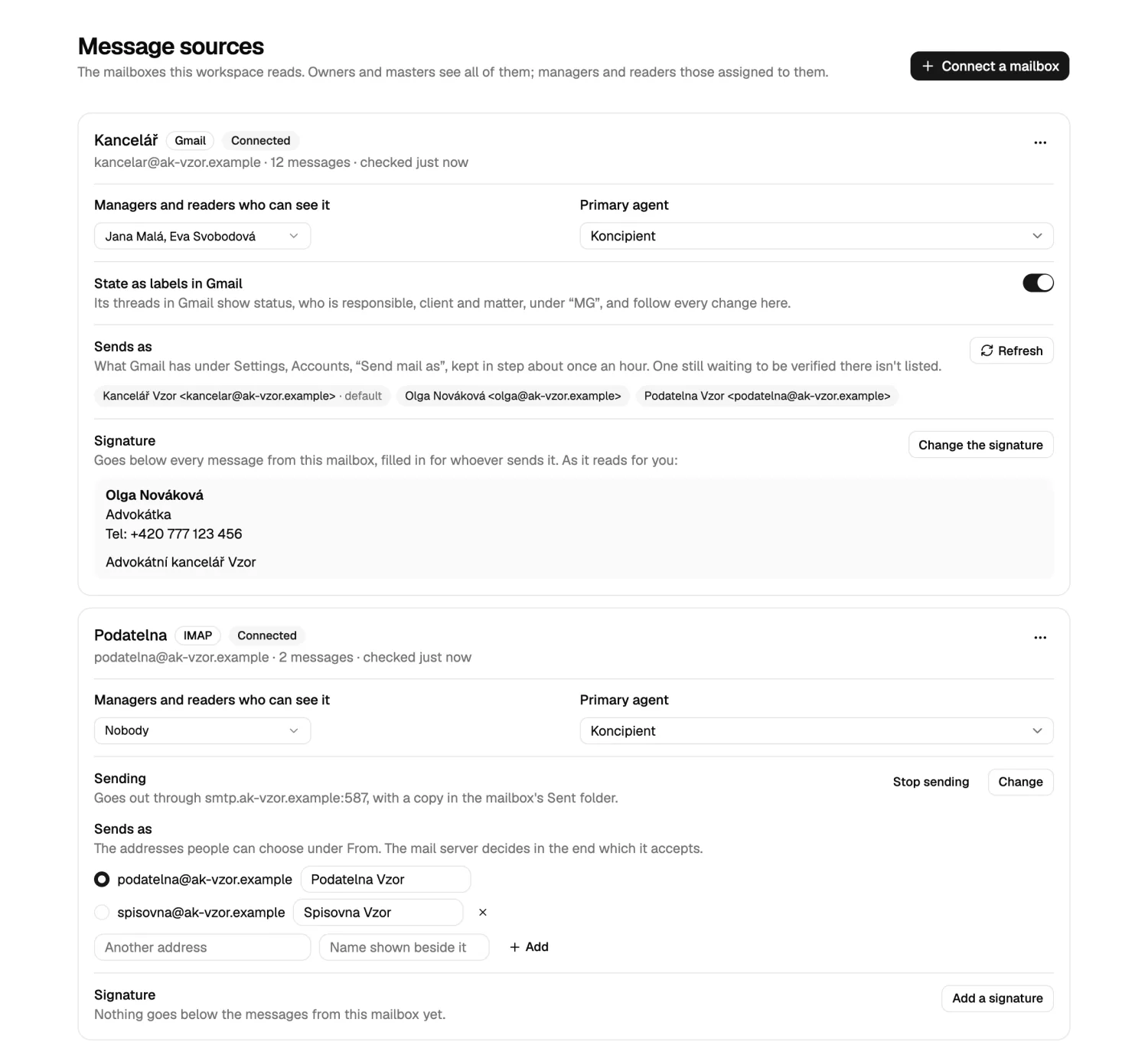
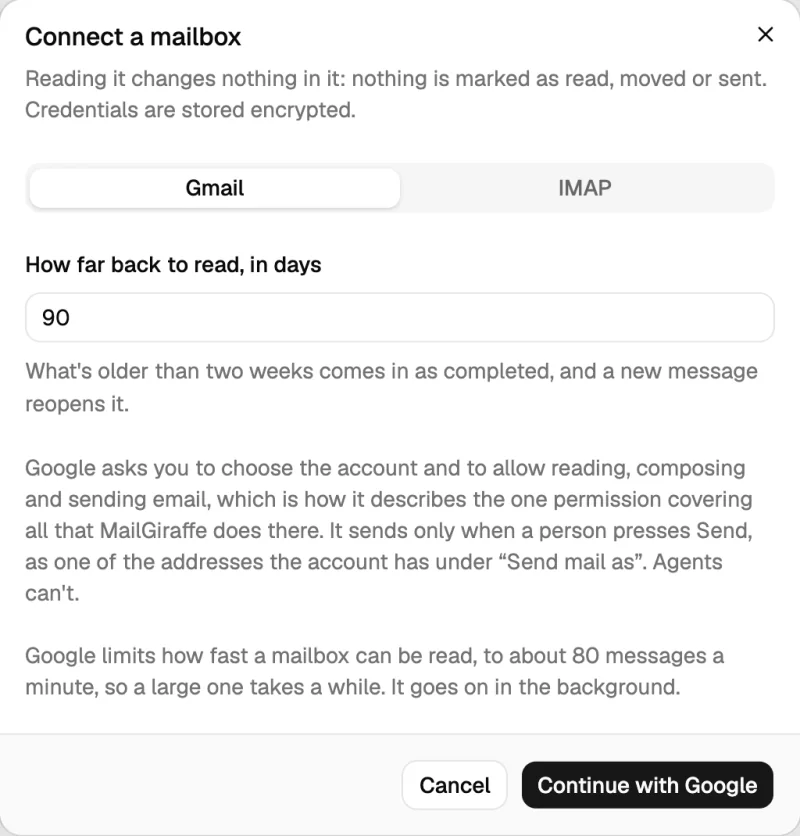
Connect the Gmail and IMAP accounts your team already uses. When a thread lands in two of them, it’s one conversation here, with one person responsible, one status and one deadline.
Giraffe fact: No two giraffes have the same spots.
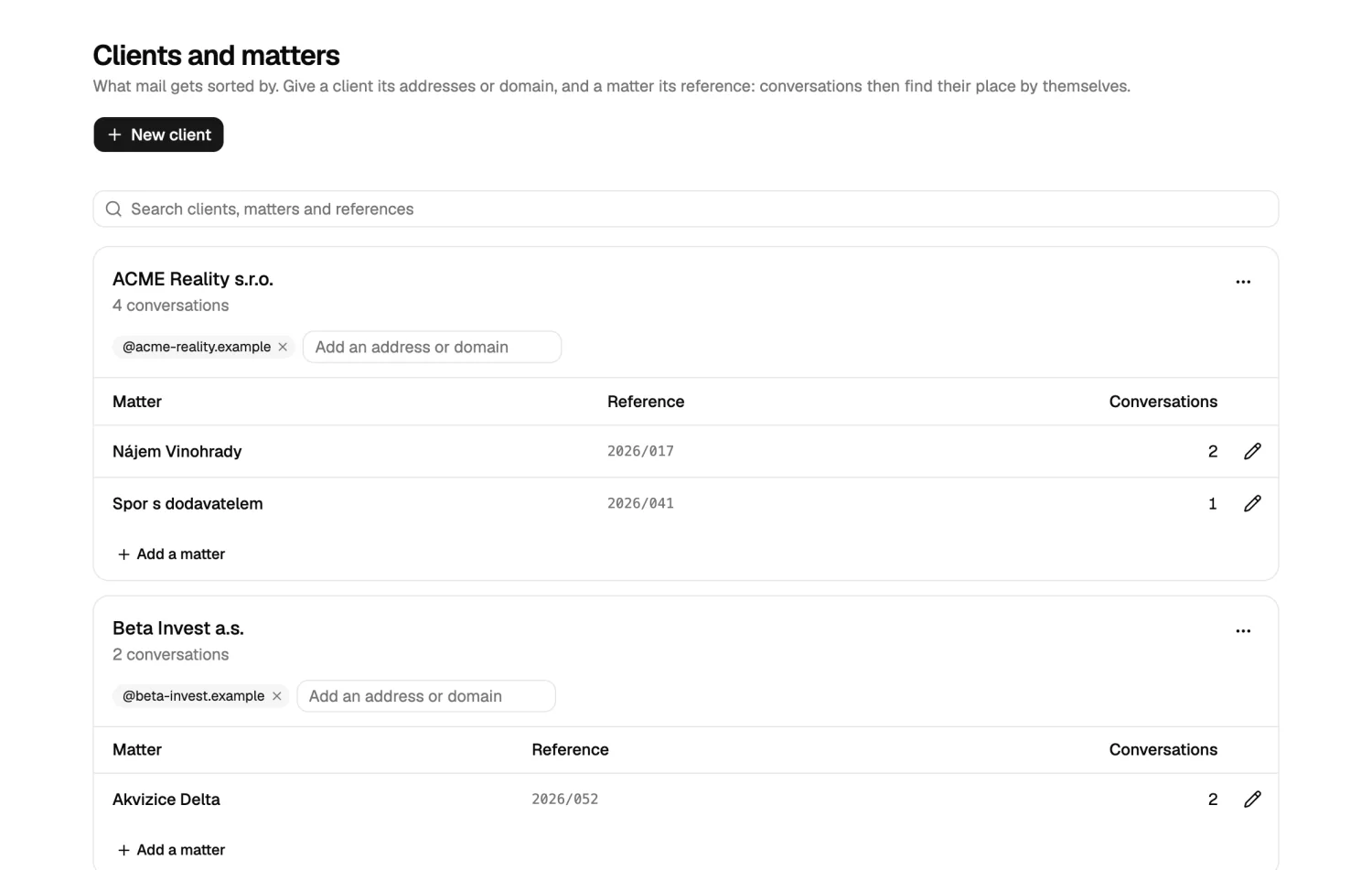
Give a client its addresses or domain, and a matter its reference. Conversations then find their own place. What no rule can place waits at the top of the dashboard, so it can’t quietly go missing.
These are plain rules, and a choice made by a person is never overwritten. Sorting sends nothing to any AI provider.
Giraffe fact: A giraffe can spot movement up to a mile away.
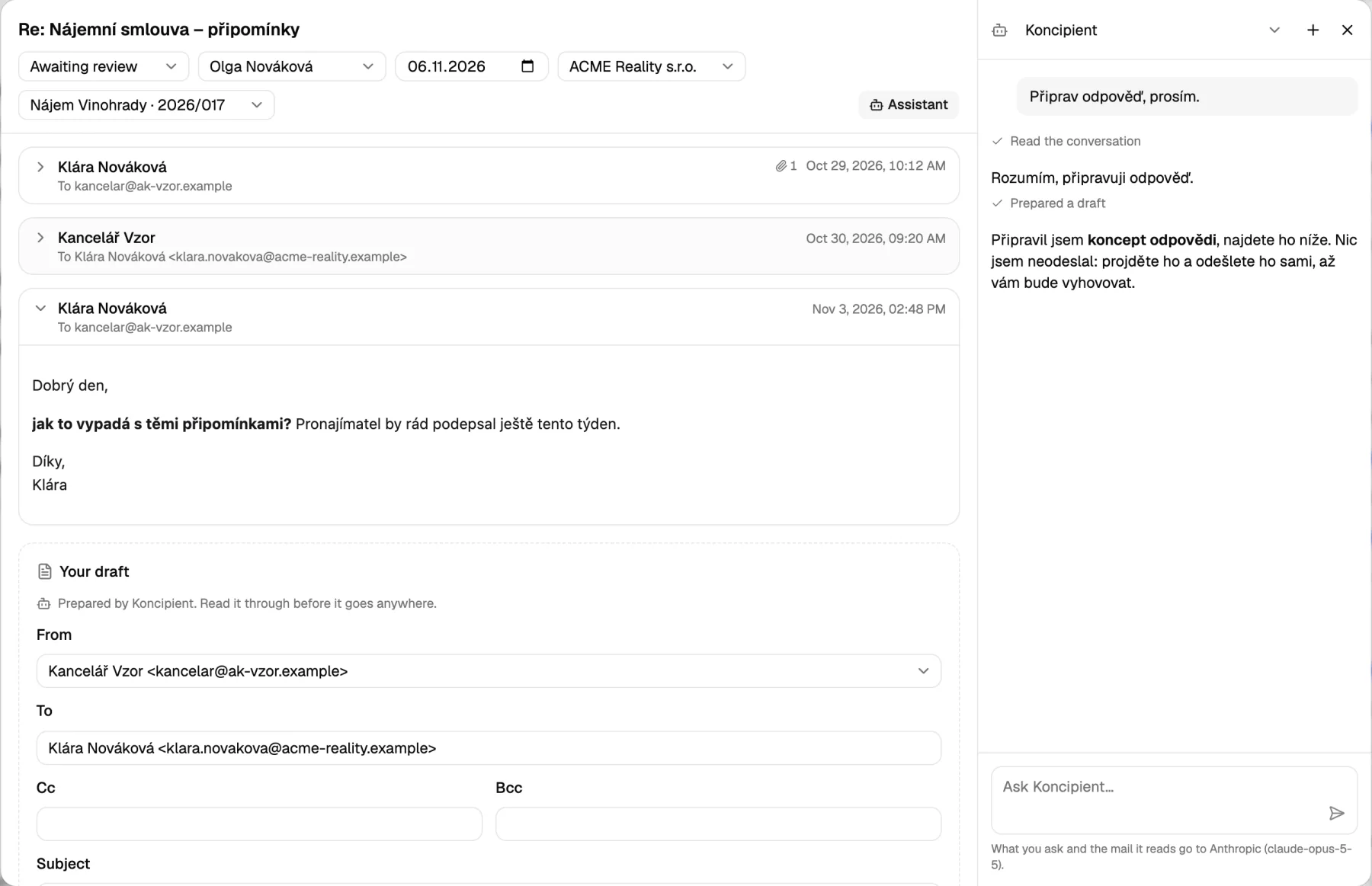
Every conversation carries a status, a person responsible and a deadline. So “did anyone deal with this?” has one answer, and everyone can see it. Group it all by client, status or person, whichever question you have today.
A new message from outside reopens a completed conversation by itself. And older mail comes in as completed, so connecting a mailbox doesn’t bury the dashboard.
Giraffe fact: A group of giraffes is called a tower.
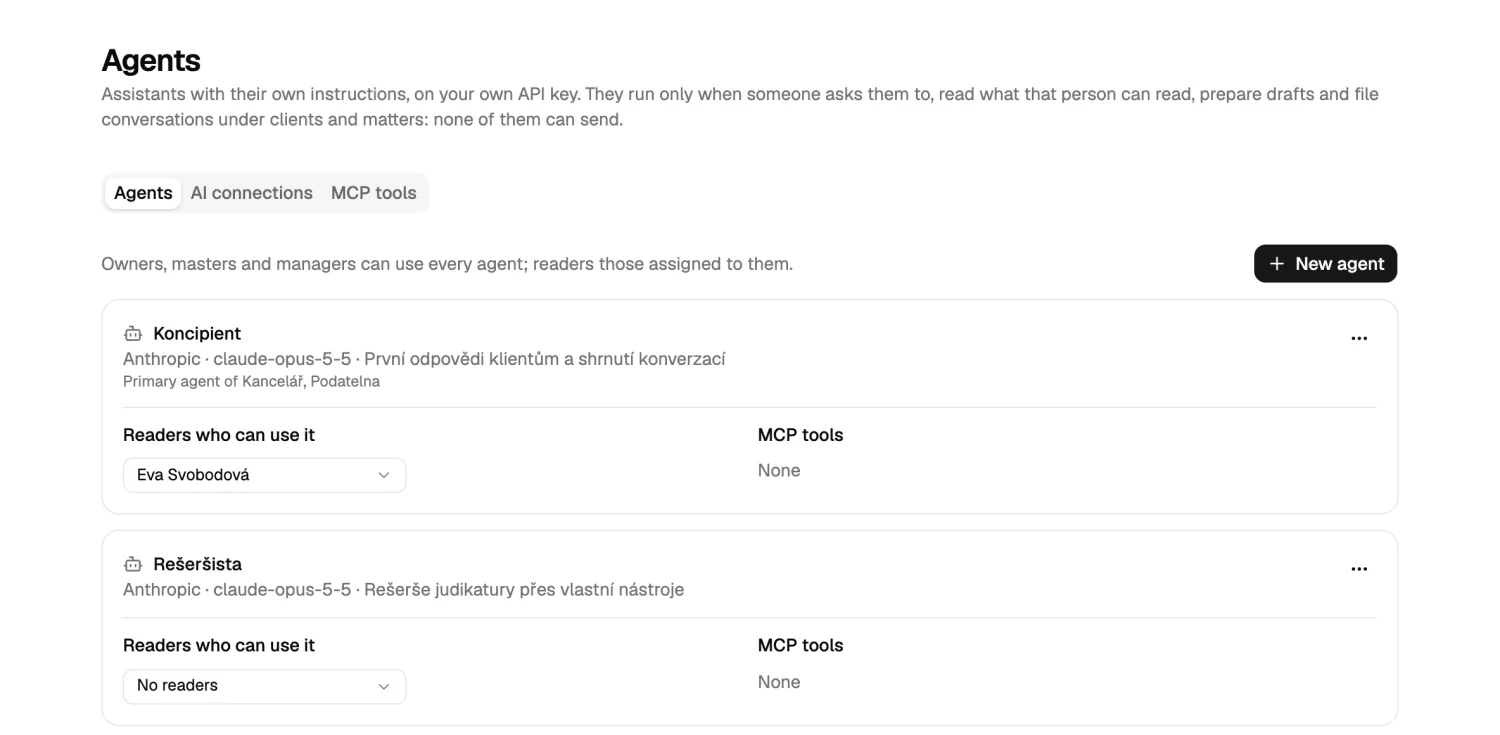
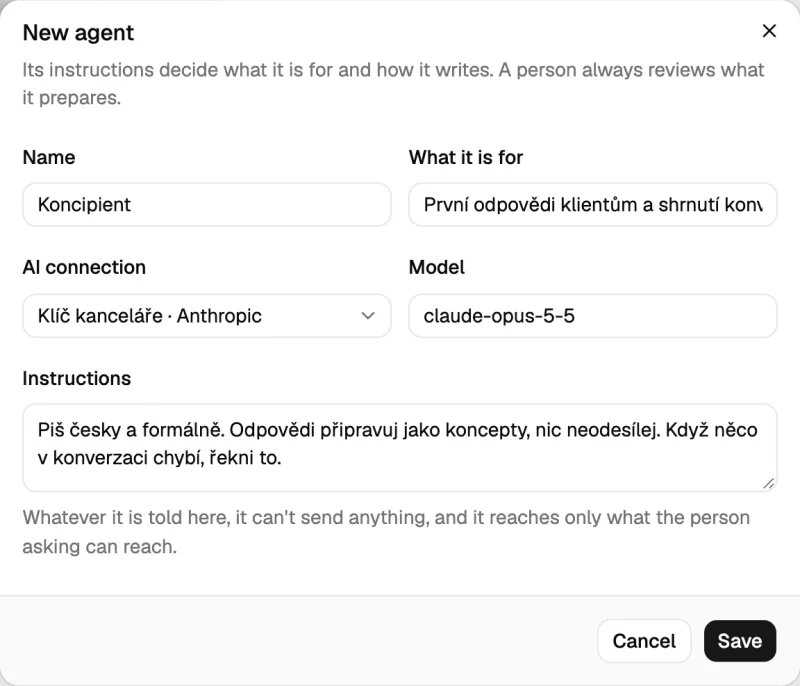
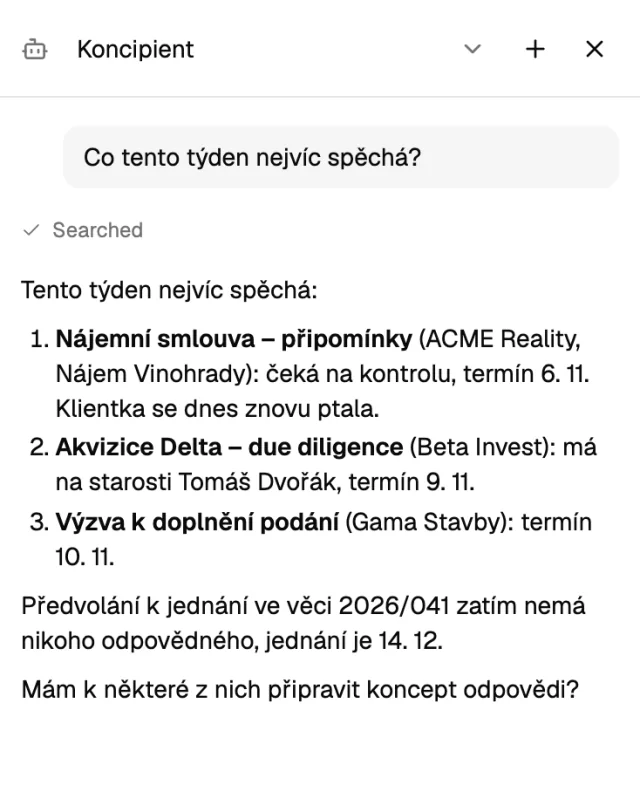
Set up one AI agent or a whole team of them. Each has its own name, model and instructions, and sits right beside the conversation you’re reading. Ask it to prepare a reply, sum up a thread, or tell you what’s burning.
Prepares first replies to clients and sums up long threads.
On your Anthropic key
Looks up case law through your own MCP tools.
On your OpenAI key
Tells you what’s most urgent this week, and what nobody has picked up.
On your Anthropic key
A name, a model and instructions. They decide what it’s for and how it writes.
Nothing starts an agent because mail arrived. Your mail reaches the AI provider only when a person asks an agent about it.
A giraffe’s tongue is about half a meter long. An agent’s reach is exactly that of the person asking, through the same access rules.
Anthropic or OpenAI, with your API key, stored encrypted. You choose who on the team may use which agent.
Connect your own MCP servers, and hand each agent only the tools it should have.
Giraffe fact: Giraffes barely make a sound. Their night-time hum wasn’t documented until 2015.
They read, prepare drafts and, when you ask, file conversations under clients and matters, new or existing. There they stop: there’s no tool for an agent to send with. A reply goes out only when a person has read it and pressed Send, in MailGiraffe or from the mailbox’s own Drafts folder.
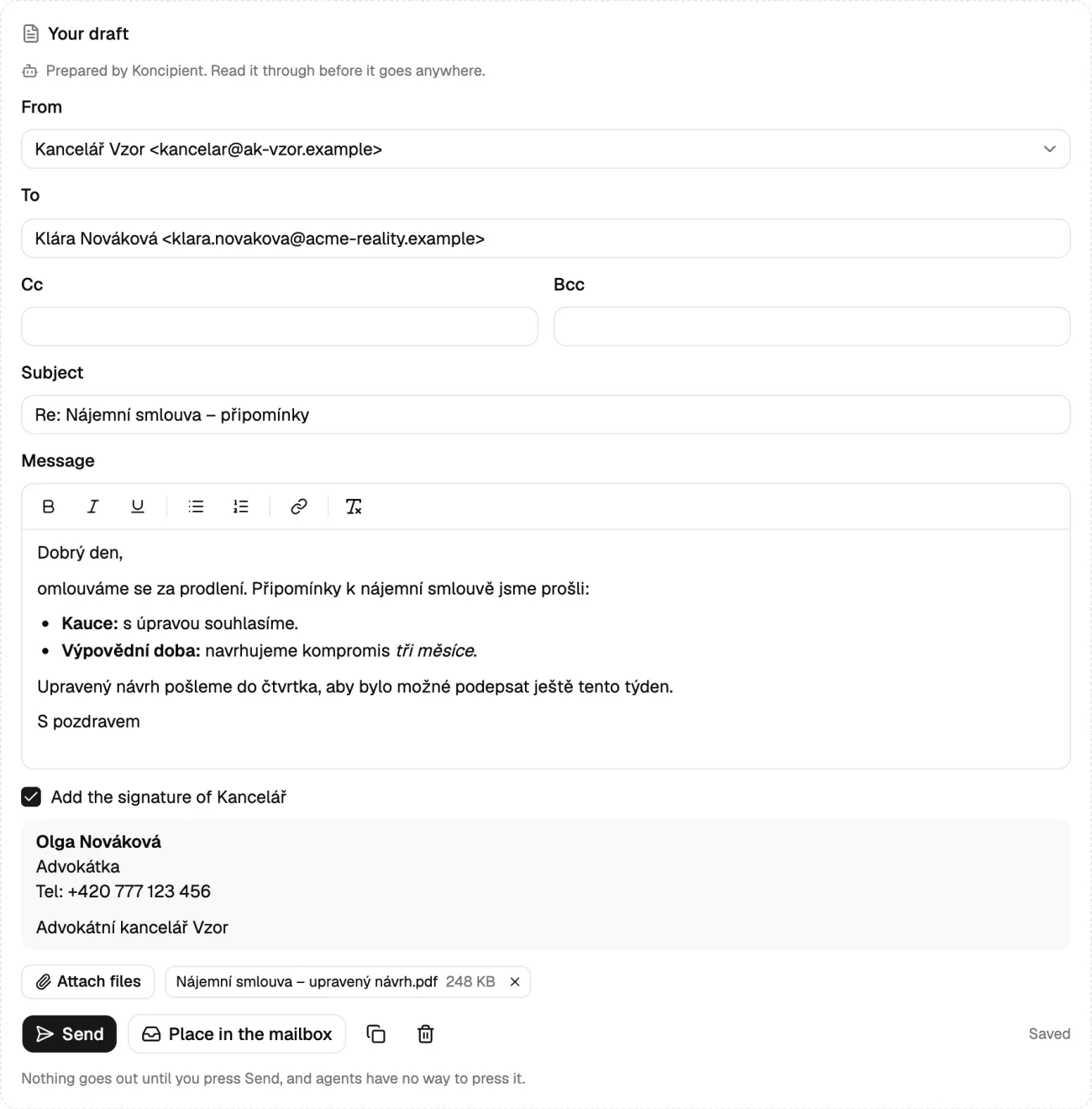
Nothing in your mailboxes changes when it’s read. The only additions are what you send or place there, and labels if you turn them on.
Readers get the mailboxes assigned to them, message by message: in lists, in search and through an agent alike.
Mailbox credentials and API keys are stored encrypted, and aren’t shown again.
Remote images stay off until someone asks for them, because they’re how a sender learns a message was opened.
One thing only you could add: if you give an agent a tool from your own MCP server, and that tool can send mail, then it can send mail. That’s why tools are picked one at a time, per agent.
Giraffe fact: A giraffe calf is usually on its feet within an hour of being born.
MailGiraffe is new and still growing, one hoof at a time. Connect a mailbox and see what your mail looks like from up here. It’s free to start.
Back up the neck